

Data is cached on your devices and updates are fetched either χειροκίνητα ή αυτόματα στο παρασκήνιο.
Γρήγοροι σύνδεσμοι #
Χειροκίνητες ενημερώσεις δεδομένων #
If you pull down to refresh (iPhone/iPad and Android apps) or click the refresh button (Web app) on the product, order or customer lists, FooSales will perform a quick check to see if there have been any updates in WooCommerce to products or orders since the last time you manually refreshed the lists. Any new orders and updates to products or orders will automatically appear in the app and they will be cached on your device. Παρακαλώ σημειώστε that only newly registered customers will be fetched with background data updates. Any changes made to existing customers from your WordPress admin dashboard or through other devices running FooSales POS will only appear on your device when resetting locally stored data.
Αυτόματες ενημερώσεις δεδομένων #
Αν θέλετε να λαμβάνετε ενημερώσεις περιοδικά στο παρασκήνιο ενώ χρησιμοποιείτε την εφαρμογή, μπορείτε να ενεργοποιήσετε αυτή τη λειτουργία καθορίζοντας τη συχνότητα με την οποία το FooSales θα πρέπει να ελέγχει για ενημερώσεις. Εάν ανοίξετε την εφαρμογή Οθόνη ρυθμίσεων στην εφαρμογή, υπάρχει ένα ρυθμιστικό που μπορείτε να χρησιμοποιήσετε για να ελέγξετε πόσο συχνά πραγματοποιούνται αυτές οι ενημερώσεις στο παρασκήνιο.
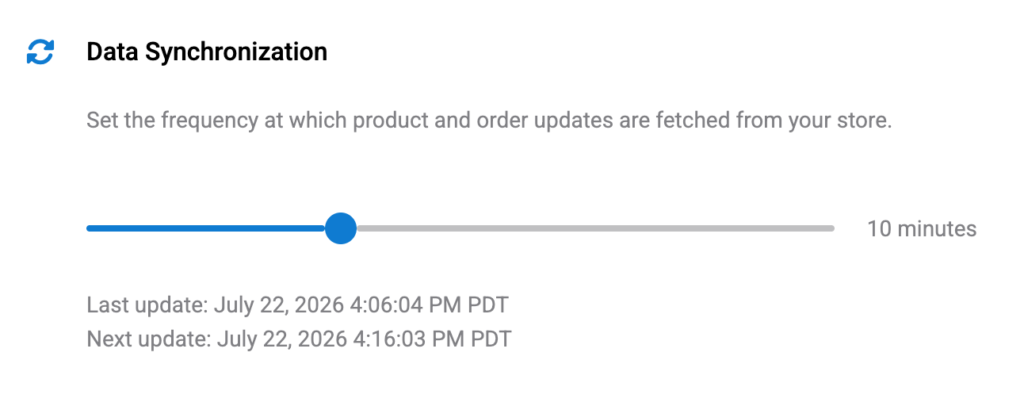
Θέτοντας το ρυθμιστικό στην ελάχιστη τιμή του 0 λεπτά (zero) will disable automatic background updates. In this scenario, the only way to fetch updates would be the manual method explained above by pulling down to refresh (iPhone/iPad and Android apps) or clicking the refresh button (Web app) on the product, order or customer lists.
Please note that if you minimize or close the FooSales app, the background data updates will be αναστολή προκειμένου να αποφευχθεί η περιττή χρήση της μπαταρίας και των δεδομένων. Όταν επαναφέρετε ή ανοίξετε ξανά την εφαρμογή tablet, οι ενημερώσεις στο παρασκήνιο θα συνεχιστούν. Ένας έλεγχος ενημερώσεων πραγματοποιείται μόλις η εφαρμογή γίνει ξανά ενεργή μετά τη σύνδεση με το κατάστημά σας και στη συνέχεια οι επόμενοι έλεγχοι θα πραγματοποιούνται με την καθορισμένη συχνότητα.
Resetting Locally Stored Data #
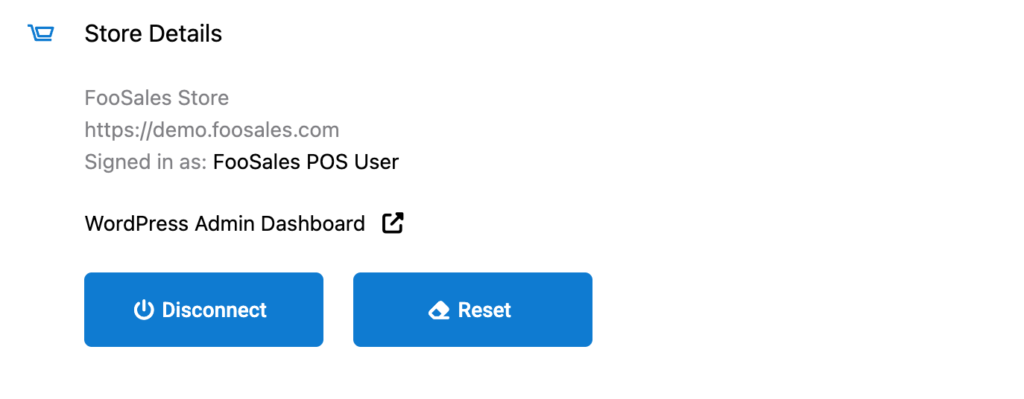
If you want to clear all cached data on your device and redownload the latest data, you can do so simply by tapping the Reset στο κουμπί Ρυθμίσεις screen to remove all locally stored data and redownload your store data. This might take a few minutes and you won’t be able to use the app until the process is complete. After this FooSales will store the data locally on the device again.
 English
  German
  Dutch
Dutch  Spanish
  Italian
  Portuguese
  French
  Polish
  Czech
Czech  Greek
Greek