

Data is cached on your devices and updates are fetched either manualmente o automaticamente sullo sfondo.
Collegamenti rapidi #
Aggiornamenti manuali dei dati #
If you pull down to refresh (iPhone/iPad and Android apps) or click the refresh button (Web app) on the product, order or customer lists, FooSales will perform a quick check to see if there have been any updates in WooCommerce to products or orders since the last time you manually refreshed the lists. Any new orders and updates to products or orders will automatically appear in the app and they will be cached on your device. Si prega di notare that only newly registered customers will be fetched with background data updates. Any changes made to existing customers from your WordPress admin dashboard or through other devices running FooSales POS will only appear on your device when resetting locally stored data.
Aggiornamenti automatici dei dati #
Se si desidera che gli aggiornamenti vengano recuperati periodicamente in background mentre si utilizza l'applicazione, è possibile attivare questa funzione specificando la frequenza con cui FooSales deve controllare gli aggiornamenti. Se si apre la finestra Schermata delle impostazioni Nell'app è presente un cursore che consente di controllare la frequenza degli aggiornamenti in background.
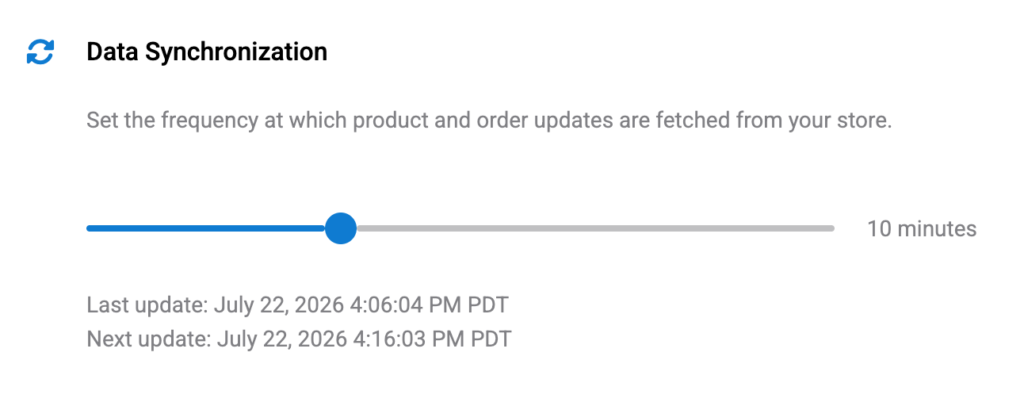
Impostando il cursore al valore minimo di 0 minuti (zero) will disable automatic background updates. In this scenario, the only way to fetch updates would be the manual method explained above by pulling down to refresh (iPhone/iPad and Android apps) or clicking the refresh button (Web app) on the product, order or customer lists.
Please note that if you minimize or close the FooSales app, the background data updates will be sospeso per evitare un uso inutile della batteria e dei dati. Quando si ripristina o si riapre l'applicazione per tablet, gli aggiornamenti in background riprendono. Un controllo degli aggiornamenti viene eseguito non appena l'app diventa nuovamente attiva dopo la connessione allo store e i controlli successivi vengono eseguiti con la frequenza specificata.
Resetting Locally Stored Data #
If you want to clear all cached data on your device and redownload the latest data, you can do so simply by tapping the Reset sul pulsante Impostazioni screen to remove all locally stored data and redownload your store data. This might take a few minutes and you won’t be able to use the app until the process is complete. After this FooSales will store the data locally on the device again.

 English
  German
  Dutch
Dutch  Spanish
  Italian
  Portuguese
  French
  Polish
  Czech
Czech  Greek
Greek