

As of FooSales WordPress plugin version 1.43.0+, you can now authenticate and connect to your WooCommerce store for enhanced security using the built-in WordPress Application Passwords functionality. Open the user profile in your Cruscotto di amministrazione WordPress and scroll down to the Application Passwords section. Enter a name for the new application password and click the Add Application Password pulsante.
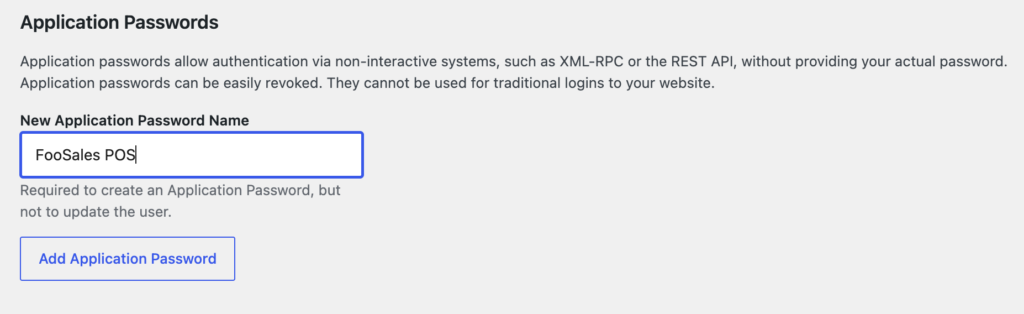
A new application password will be generated and displayed only once. It’s therefore important that you store this application password in a safe place such as a password manager.

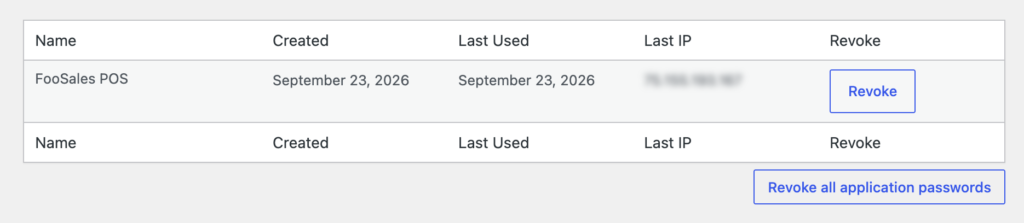
You will be able to see all the application passwords that have been generated for the user as well as when it was created, when it was last used, and what the last used IP address was. You can revoke an application password at any time and generate a new one.
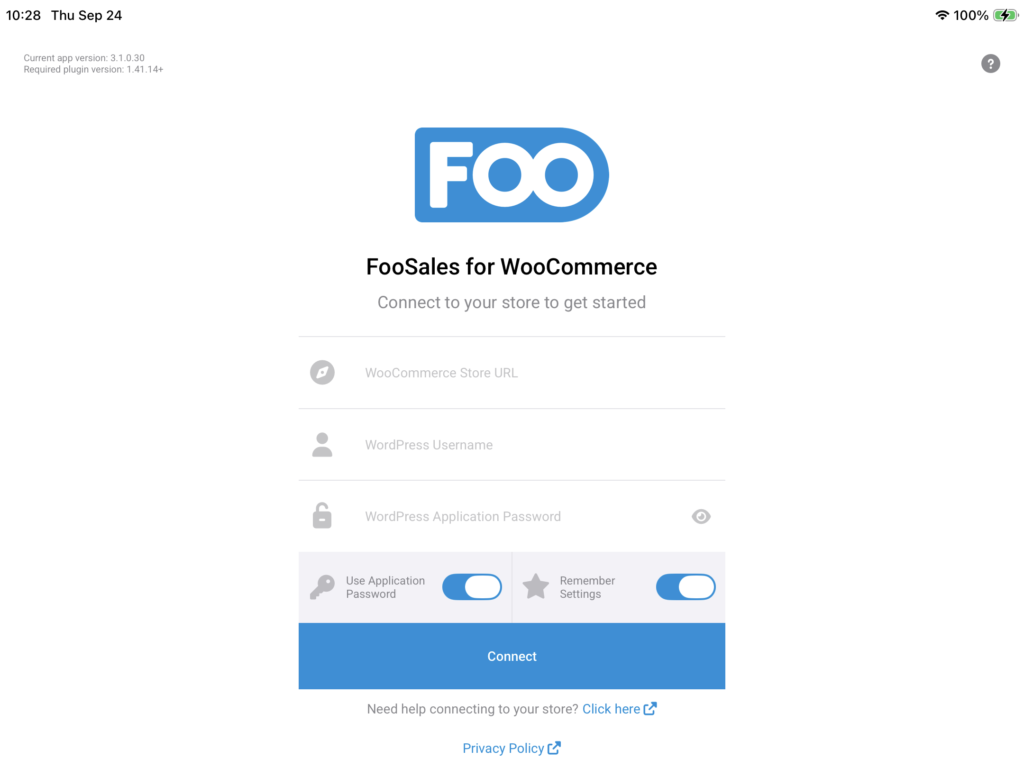
On the connect screen in the FooSales POS iPhone/iPad o Applicazione Android, you will still enter your store URL and username. Toggle the Use Application Password setting and enter the newly generated application password in the password field in order to authenticate and connect using your store.
 English
  German
  Dutch
Dutch  Spanish
  Italian
  Portuguese
  French
  Polish
  Czech
Czech  Greek
Greek