

Please note that cancelling your FooSales plan will cancel your access to the FooSales POS. This means that you will no longer be able to use the FooSales web POS or FooSales apps once the cancellation has been processed. Cancelling your plan does not only cancel the next renewal.
If you would like to continue using FooSales until closer to the end of your current plan period, we recommend contacting us closer to your renewal date so that we can assist with cancelling the plan at that time.
If you would like to cancel your account during your free trial and you haven’t selected a pricing plan, then no action is needed. Your access will stop at the end of your trial and you will not be charged.
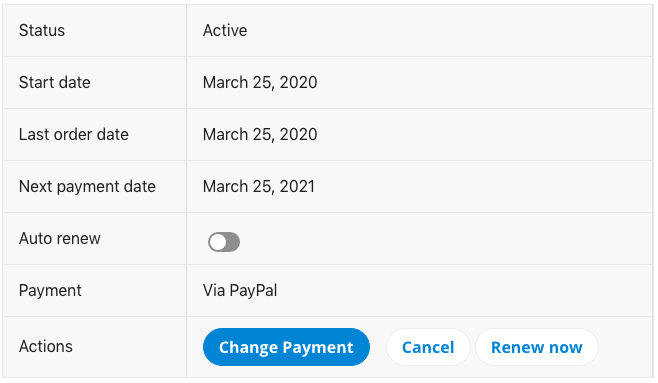
Go to FooSales.com > My Account > Plans to view your plan.
The plan screen will display information relating to your FooSales plan, including your plan status and renewal details.
To cancel your FooSales plan, select the Cancel button and complete the cancellation request form.
 English
  German
  Dutch
Dutch  Spanish
  Italian
  Portuguese
  French
  Polish
  Czech
Czech  Greek
Greek